
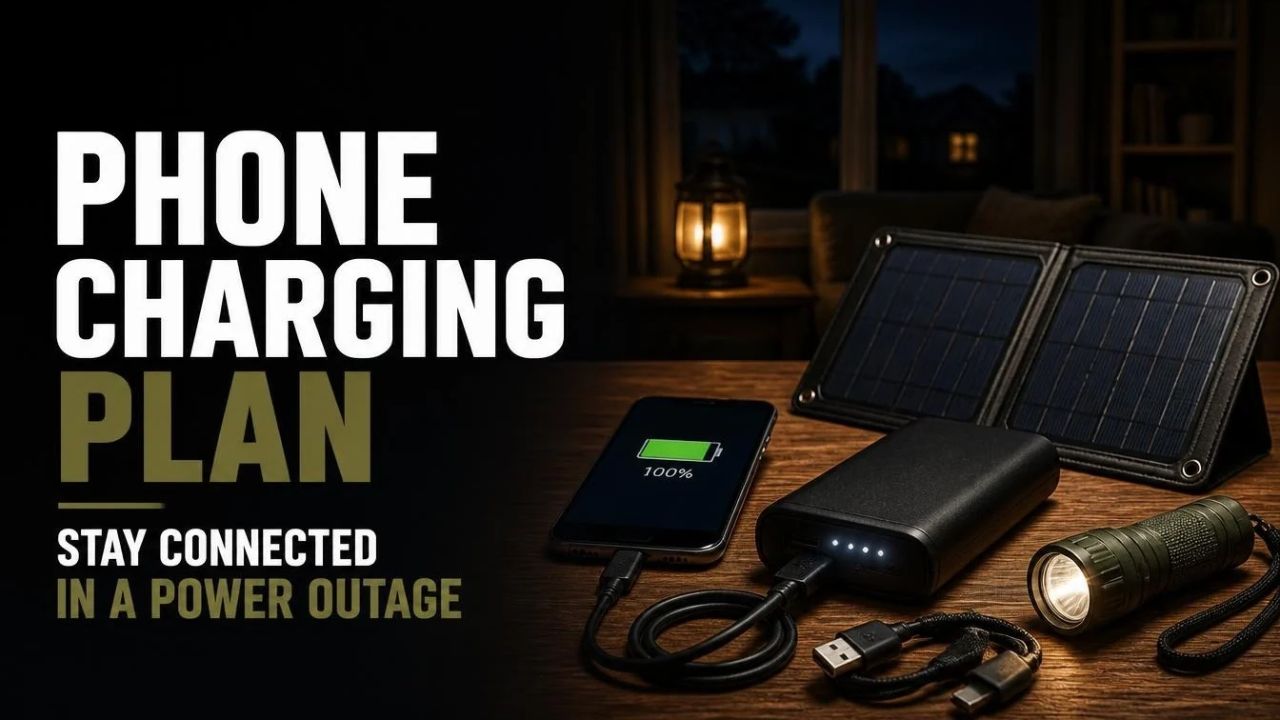
A power outage can turn a phone from an everyday convenience into one of your most important emergency tools. You may need it to check weather alerts, contact family members, find evacuation information, or call for help.
But there is one problem: your phone battery does not last forever. A good phone charging plan for a power outage helps you decide what to charge, which backup power sources to use, and how to make your battery last when the electricity is unavailable. The goal is simple: stay connected without wasting the limited power you have.
1. Start by Calculating How Much Phone Power Your Family Needs
Before buying power banks or solar chargers, take a few minutes to understand your household’s actual charging needs. A plan for one person with one smartphone is very different from a plan for a family with several phones, tablets, and medical devices.
I recommend starting with a simple inventory. Write down every device that may need power during an outage, then decide which ones are essential.
Make a household charging inventory
- Smartphones used for emergency calls, messages, and alerts.
- Tablets or laptops needed for essential work or communication.
- Smartwatches and other wearable devices.
- Portable medical equipment that has a rechargeable battery.
- Battery-powered radios or other communication equipment.
- Backup phones kept for emergencies.
Not every device deserves the same priority. A phone used to contact emergency services should come before a tablet used for entertainment.
Estimate your daily charging requirements
Check the battery capacity of each phone. It is usually listed in milliamp-hours (mAh) in the manufacturer’s specifications. Many modern smartphones have batteries in the approximate 3,000–5,000 mAh range, although actual capacity varies by model.
For a basic planning estimate, consider how much of each phone’s battery you expect to use in a day. If a phone normally uses half its battery during regular activities, you may need roughly half a full charge each day during an outage. Your actual needs will depend on signal strength, screen time, apps, temperature, and other factors.
For example, a household with three phones might plan for:
- One essential phone charge per day for the primary contact phone.
- One partial charge per day for each additional family phone.
- Extra capacity for unexpected calls, alerts, or travel.
Think in terms of days without electricity, not just a few hours. A plan for a 24-hour outage may not be enough for a three-day blackout.
Practical tip: Make a list of essential devices and the number of days you want to support them. This gives you a realistic starting point for choosing backup charging equipment.
2. Choose the Right Backup Power Banks
A portable power bank is one of the easiest ways to keep a smartphone running during a blackout. It stores electricity before an outage and allows you to recharge a phone without using a wall outlet.
However, power banks are not all the same. Their advertised capacity, charging speed, number of ports, and actual usable output can differ considerably.

Understand power bank capacity
Power banks are commonly advertised in capacities such as 5,000 mAh, 10,000 mAh, and 20,000 mAh. A larger number generally means more stored energy, but it does not mean you will get that exact number of milliamp-hours delivered to your phone.
Energy is lost during voltage conversion and charging. Cable quality, device temperature, and charging efficiency also affect the result. Therefore, avoid assuming that a 20,000 mAh power bank will provide exactly four full charges to a 5,000 mAh phone.
What capacity should you consider?
- 5,000–10,000 mAh: A compact option for limited emergency charging or everyday carry.
- 10,000–20,000 mAh: A practical middle ground for many individual users.
- 20,000 mAh or more: Worth considering when you need multiple charges or want to support more than one device.
These are broad shopping categories, not guaranteed charging results. Check the manufacturer’s stated output, supported charging standards, weight, and safety information before buying.
Look beyond the capacity number
For emergency use, I would pay attention to a few details before choosing a power bank:
- USB-C input and output, where supported by your devices.
- Enough output power for your phone’s charging requirements.
- Two or more ports if several devices may need charging.
- A clear battery-level indicator.
- Built-in protections against overheating, overcharging, and short circuits.
- A reputable manufacturer and clear product documentation.
Keep your power banks charged before storm season or other periods when outages are more likely. A backup battery that has been sitting empty in a drawer is not much help when the lights go out!
For more general emergency power planning, the CDC’s power source guidance includes car chargers, power banks, and other useful backup options.
3. Build a Charging System With Multiple Power Sources
One of the biggest mistakes in emergency planning is relying on a single charging method. A power bank is useful, but it eventually runs out. A car charger can help, but you may not want to depend on your vehicle every day.
A stronger phone charging plan for a power outage uses several charging options that complement each other.

Option 1: Portable power banks
Use charged power banks as your first backup source. They are quiet, portable, and do not require fuel or sunlight while in use.
Keep at least one dedicated power bank for emergency communication rather than allowing every family member to use the entire supply for videos, games, or social media.
Option 2: Car phone chargers
A vehicle USB charger can provide another way to recharge phones. Keep a compatible charger and cable in your emergency kit, and check that they work with your devices.
There is an important safety rule here: never run a vehicle inside a garage or another enclosed or partially enclosed space. Vehicle exhaust contains carbon monoxide, an odorless gas that can be deadly. If you use a vehicle for charging, do so outdoors in a safe, well-ventilated location and follow the vehicle manufacturer’s instructions.
Option 3: Solar phone chargers
A portable solar panel can recharge compatible power banks or devices when sunlight is available. This can be useful during a longer outage, especially if you have a panel that matches the input requirements of your battery pack.
Solar charging is not always predictable. Cloud cover, shade, panel angle, season, and daylight hours all affect performance. A small panel may also take much longer to recharge a large power bank than its packaging suggests.
Before an emergency, test the complete setup. Confirm that the panel, cables, and power bank work together rather than discovering a compatibility problem during a blackout.
Option 4: Portable power stations
A portable power station stores more energy than a typical phone power bank and may offer several output options, including USB ports and AC outlets. It can support multiple small devices, depending on its capacity and rated output.
For a household preparing for longer outages, it may be worth comparing a portable power station with a collection of smaller power banks. Consider storage capacity, output limits, recharge time, battery chemistry, and the manufacturer’s safety instructions.
A practical backup arrangement could look like this:
- Primary backup: fully charged power banks.
- Secondary backup: a car charger.
- Longer-outage option: a compatible solar panel.
- Higher-capacity option: a portable power station.
You do not need to purchase everything at once. Start with the most useful option for your household, then expand your system as your budget allows.
4. Make Your Phone Battery Last Longer During a Blackout
Backup charging equipment is only half the plan. The other half is reducing how quickly your phone consumes energy.
When the electricity goes out, it is tempting to keep checking news updates, weather apps, and social media. Unfortunately, frequent screen use and background activity can drain a battery faster than necessary.

Turn on battery-saving features
Most smartphones include a battery-saving mode. On an iPhone, Apple’s Low Power Mode reduces background activity and adjusts certain features to help extend battery life. Android phones have similar battery-saving options, although the names and available settings vary by manufacturer.
Other useful steps include:
- Reduce screen brightness to a comfortable level.
- Set the screen to turn off quickly when not in use.
- Close or restrict apps that constantly refresh in the background.
- Pause automatic downloads and unnecessary updates.
- Turn off Bluetooth, GPS, and Wi-Fi when you do not need them.
- Use Airplane Mode when there is no usable mobile signal and you do not need to communicate.
Apple provides instructions for using Low Power Mode to reduce background activity on supported devices.
Be smart about mobile signal and internet use
Phones may use more energy when they struggle to maintain a connection. If mobile coverage is weak, avoid repeatedly opening apps and refreshing pages to check whether service has returned.
Download useful information before an outage when possible. Save important phone numbers, maps, travel directions, and emergency instructions for offline access.
Use your phone for essential communication
During a widespread emergency, networks may become congested. Keep calls brief when possible and use text messages for routine family updates. Text messages may have a better chance of getting through when voice networks are busy, although delivery is never guaranteed.
Do not delay an emergency call when you need immediate help. Battery conservation should never take priority over life safety.
For iPhone-specific battery guidance, see Apple’s recommendations for improving battery life.
5. Create a Family Phone Charging Schedule
When several people share a limited backup power supply, charging can become disorganized. One person may recharge a phone whenever the battery reaches 70%, while another waits until the battery is nearly empty.
A simple household charging schedule helps prevent unnecessary charging and gives everyone a fair share of the available power.

Set priorities before an outage
Decide which phones are most important for emergency communication. For example, a household might designate one primary contact phone and one backup phone.
The primary phone should have enough battery for emergency calls, official alerts, and family coordination. Other devices can be charged according to their needs and available power.
Use scheduled charging windows
Instead of allowing everyone to connect their phones whenever they want, establish charging periods. For example, you might have a morning and evening charging window, adjusting the schedule according to the remaining battery capacity.
Here is a sample schedule for a household. It is a planning example, not a universal rule.
- Morning: Check battery levels and recharge the primary contact phone if needed.
- Afternoon: Use the available power source for essential devices or a low-battery phone.
- Evening: Recharge devices needed overnight and review the remaining backup capacity.
- Before sleeping: Confirm that emergency contacts and alerts can still be accessed.
Keep a simple charging record
A small notebook can be surprisingly useful. Record which power bank is being used, which device has been charged, and how much stored capacity remains.
This avoids the confusion of having several partially used batteries without knowing which one is ready for the next day.
Also, make sure everyone knows where the charging equipment is stored. In a stressful situation, you do not want to spend 20 minutes searching for a USB-C cable.
Family tip: Keep one labeled emergency power bank reserved for the primary communication phone. Do not use it for everyday charging unless you recharge it immediately afterward.
6. Prepare an Emergency Phone Charging Kit
A charging plan works best when the equipment is stored together and ready to use. You do not need a complicated setup. A small, organized kit can cover many common problems during a power outage.

What to include in your kit
- One or more fully charged power banks.
- Charging cables compatible with your household phones.
- A wall charger for use when electricity is available.
- A car USB charger.
- A compatible solar charger, if included in your backup plan.
- A small flashlight or headlamp.
- A written list of emergency contacts.
- A printed family communication plan.
- A small notebook and pen to track charging use.
Do not forget device compatibility
Check the charging ports on every device. Some phones use USB-C, while older devices may use Lightning or another connector. Having a power bank without the correct cable can make it useless for a particular phone.
It is also worth checking the power bank’s input specifications. A solar panel or other charging source must provide a compatible input for the battery pack.
Store and maintain the equipment
Keep the kit in a dry, accessible location away from excessive heat. Follow each manufacturer’s instructions for storage, charging, and battery maintenance.
Recharge power banks periodically and inspect cables for damage. If a battery becomes swollen, unusually hot, damaged, or begins to smell unusual, stop using it and follow the manufacturer’s safety guidance for disposal or service.
Do not assume that a power bank will remain fully charged indefinitely. Make checking your emergency charging kit part of your regular household preparedness routine.
7. Plan for Communication if Phone Networks Stop Working
A charged phone is useful, but it does not guarantee that you can make a call or access the internet. A widespread disaster may damage communications infrastructure, interrupt network power, or create heavy demand on mobile services.
That is why your emergency plan should include more than battery capacity.
Agree on a family communication plan
Choose a contact person outside your immediate area who can help relay messages if family members become separated. Make sure everyone has that person’s phone number written down.
Decide where family members should meet if they cannot communicate. Choose one location close to home and another outside the immediate neighborhood.
Save important information offline
Before an outage, consider saving:
- Emergency phone numbers and important addresses.
- Offline maps of your local area.
- Medical information and essential contact details.
- Evacuation routes and meeting locations.
- Downloaded emergency instructions and relevant documents.
Keep another way to receive information
A battery-powered or hand-crank emergency radio can provide access to local information when mobile internet services are unavailable. The CDC also includes a battery-powered or hand-crank weather radio with USB ports among its suggested emergency power supplies.
For a broader communication strategy, review Ready.gov’s emergency communication guidance.
Remember that communication tools have different limitations. A radio may receive alerts but cannot send a message to your family. A phone may work only when a network is available. Having more than one method gives your household additional options.
8. Test Your Phone Charging Plan Before an Emergency
Buying equipment is not the same as having a working emergency system. The best time to discover a faulty cable or incompatible solar panel is during a normal day—not during a blackout.
Set aside a short period to test your entire charging setup.
Run a simple blackout test
- Unplug your normal wall chargers.
- Recharge a phone using each backup power source.
- Check whether the power bank provides the expected output.
- Test the car charger and confirm that the cable fits.
- Try the solar panel in suitable daylight conditions.
- Confirm that every family member knows how to use the equipment.
- Review the charging schedule and adjust it if necessary.
Track how much energy your devices actually use during the test. This will help you make better decisions about how many power banks or how much stored energy your household needs.
Review the plan regularly
Phone models change, batteries age, and family communication needs can shift. Review your equipment every few months and before periods of severe weather.
If someone in your household depends on electrically powered medical equipment, do not treat a phone power bank as a substitute for the equipment’s required backup power. Contact the medical-device provider and healthcare team to develop a separate, appropriate power plan. The CDC’s emergency power guidance explains why backup power planning is especially important for people who rely on home medical devices.
How David’s Shield Fits Into a Broader Preparedness Plan
A phone charging plan is one part of household emergency preparedness. It helps you maintain access to communication, information, and important contacts when normal electricity is unavailable.
Readers who want to explore a broader preparedness education resource may also want to look at David’s Shield. Its advertised material covers topics related to emergency readiness, household self-reliance, and planning for disruptions, including subjects such as EMP preparedness.
It is important to understand what that means. David’s Shield is a learning resource, not a power bank, solar generator, or guaranteed phone-charging solution. Review the actual material, its evidence, the cost of implementing any recommendations, and whether its approach fits your household before making a purchase.
If you want to examine the program in more detail, you can read this David’s Shield review before deciding.
Conclusion: Build Your Phone Charging Plan Before the Lights Go Out
A reliable phone charging plan for a power outage does not need to be expensive or complicated. Start by identifying the phones your family depends on, estimate your charging needs, and choose backup power sources that fit your budget.
Keep power banks charged, prepare compatible cables, consider a car charger or solar option, and teach everyone how to conserve battery power. Most importantly, test the system before you need it.
Preparedness is about making practical decisions ahead of time. A little planning today can make communication much easier when the electricity goes out.
Sources and Further Reading
- U.S. Department of Energy – Keeping Mobile Devices Charged
- CDC – Power Sources and Emergency Preparedness
- Apple Support – Use Low Power Mode to Save Battery Life
- Apple Support – If Your iPhone Battery Drains Too Quickly
- Ready.gov – Are You Ready? An In-Depth Guide to Citizen Preparedness
- Ready.gov – Emergency Communication Guidance